CastConductor: The shortcut from “I have content” to “I have my own Roku channel.”
The no-code Roku app builder. Launch and manage Roku channels from the familiar WordPress dashboard — without writing code or hiring developers.

📺 Watch It Live on Roku
Log in to your Roku account or search the Roku Channel Store for ACiD877 to see a real CastConductor channel in action.
🎯 Add to Roku📸 Not a Mockup
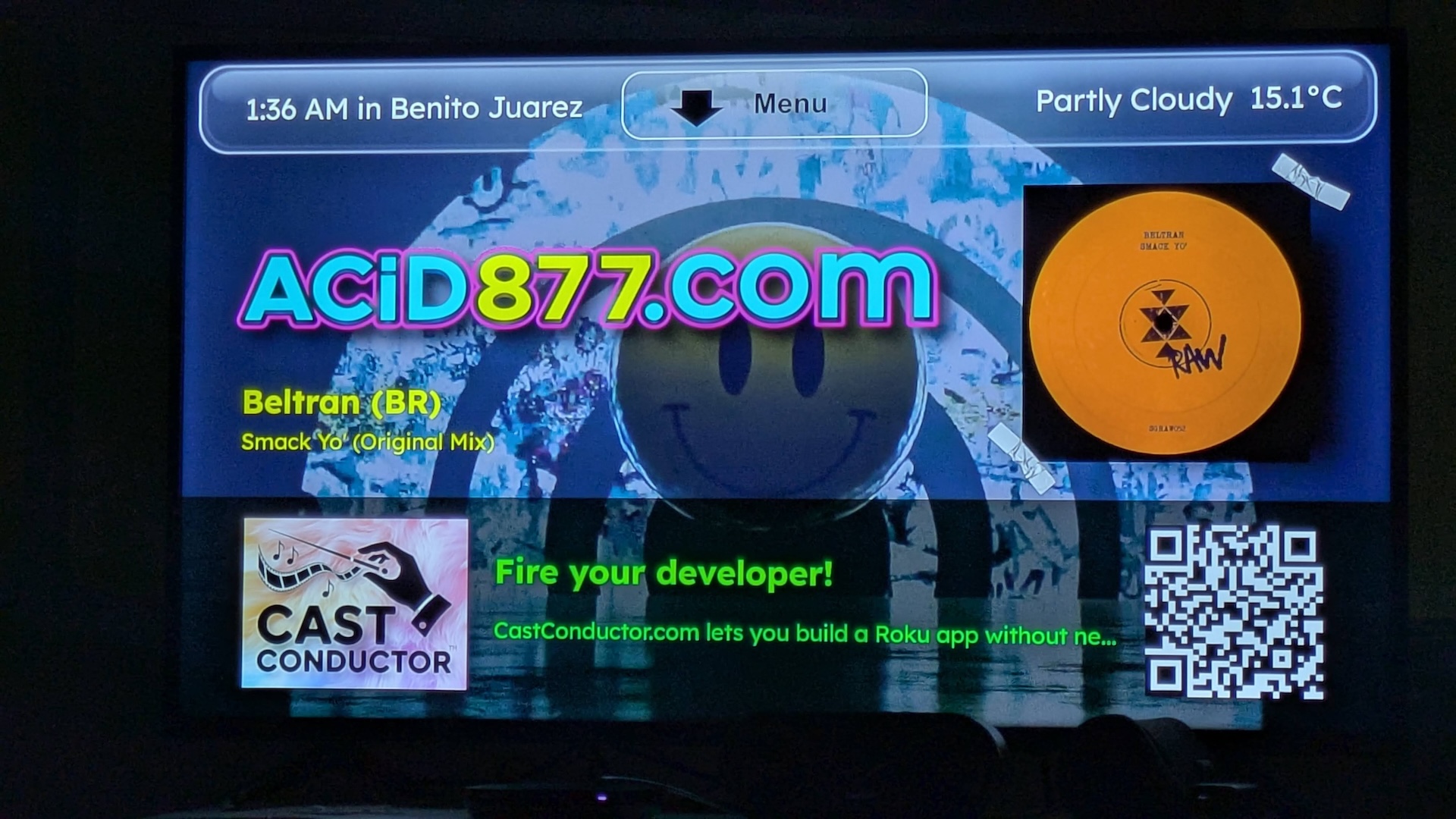
ACiD877 running on a real TV — CastConductor branding and all.
Escape the Algorithm
On YouTube and TikTok, the platform is constantly pulling your viewers away to someone else’s content. On your own Roku channel, they’re in YOUR world. No distractions. No algorithm fighting against you. Just your content, your audience, your channel.
WordPress Is Your Control Room
Manage your entire Roku channel from the familiar WordPress dashboard. Create, organize, deliver content, and update your channel — all without hiring a developer or learning to code. If you can use WordPress, you can run a Roku channel.
Priced for Creators, Not Corporations
Starting at $19/month plus a $49 one-time setup. Custom Roku development typically costs $15,000+. We built CastConductor so creators and organizations can get on Roku without the enterprise price tag.
One Plugin. One App. Complete Control.
A WordPress plugin manages your content. A custom Roku app displays it. Hit publish — it’s live on TV in minutes.
“Nearly half of all US TV streaming takes place on a Roku device.”
Take the 2-Minute Tour 👇🏾
How It Works
1
Get Your License
Pick a plan and enter your WordPress domain. Your license key arrives instantly.
2
Build Your App
Use the Toaster to generate your custom Roku app. Enter your license, upload your channel artwork, done.
3
Publish Content
Add videos, audio, and playlists in WordPress. Hit publish. It’s live on your Roku channel.
“At least one major streaming service beyond YouTube will add a ‘creator’ tab.”
— Roku 2026 Predictions Report
90M+ Households
Roku’s reach in the US
100B+ Hours
Streamed on Roku last year
~50% of US TV
Now streaming, not cable
CastConductor is the first platform fueling the “Creator Tab” era.
Frequently Asked Questions
What is CastConductor?
CastConductor is the no-code Roku app builder. It’s actually two halves of one product: a WordPress plugin and a custom Roku app. The plugin turns your familiar WordPress dashboard into a Roku content engine — delivering unlimited real-time updates, track metadata, album artwork, live video, podcast feeds, and more, directly to your Roku channel. No coding or developer required.
What if I don’t use WordPress?
Our platform connects the content management system you already know (WordPress) to the streaming device in millions of living rooms (Roku). No code. No complexity. Just your content, on the big screen. If you don’t currently use WordPress, CastConductor can be installed on a headless WordPress, independent of your existing website.
Isn’t requiring WordPress a limitation?
No — it’s the opposite. WordPress is used by roughly 40% of all websites, and nearly 6 out of every 10 sites built on any content management system — more than seven times the share of the next-closest platform (source: W3Techs, September 2026). Every other no-code Roku app builder puts you in its own proprietary dashboard: a brand-new interface you have to learn from scratch, plus a fresh media library to rebuild from zero. CastConductor works with the WordPress site you already have — the images, video, audio, and posts already sitting in your media library can go straight onto your Roku channel, no re-uploading required. It’s built on the CMS more people already use than any other, so there’s nothing new to learn and no vendor lock-in.
Do I need a developer to build a Roku app?
Not with CastConductor. Instead of hiring a Roku developer or learning BrightScript, use CastConductor. It replaces traditional Roku development entirely — if you can use WordPress, you can run a Roku channel. Read our complete guide to building a Roku app without a developer.
How much does it cost?
Starting at $19/month after a one-time $49 setup. Traditional custom Roku development costs $15,000–$50,000+.
How long does Roku approval take?
With CastConductor, you can build a custom Roku app in an afternoon — traditional Roku development takes 3–6 months. Once it’s built, Roku still has to approve it: in our own experience, a custom Roku app built with CastConductor was submitted for Roku Channel Store approval on a Wednesday and live the following Monday morning. Roku controls its own approval process and timeline, so we can’t guarantee that for every submission — but that’s what happened for us.
What happened to Roku Direct Publisher?
Roku discontinued Direct Publisher in January 2024. It was a free option for basic video feeds, but lacked audio support, track metadata, and real-time updates. CastConductor is a modern alternative that works with audio and video, syncs content in real time, handles album artwork, and gives you a fully branded channel experience — without needing to learn BrightScript or hire a developer.
What’s the difference between CastConductor and the Roku SDK?
The Roku SDK requires learning BrightScript and SceneGraph — Roku’s proprietary languages. CastConductor is a no-code alternative that replaces SDK development entirely. No programming skills required.
Can I try it before I buy?
Yes — every subscription includes a 2-week free trial.
Why don’t you support Apple TV, Fire TV, Samsung, LG, etc.?
We concentrate our development effort where your viewers actually are:
- Roku leads North American connected-TV device share at 36% — more than Fire TV (19%), Samsung (15%), or Apple TV (13%) manage on their own (Pixalate, Q1 2026).
- Roku is the #1 streaming platform in the US, Canada, and Mexico by a wide margin.
- Roku’s interface reaches more than half of U.S. broadband households.
- Even smart TV owners whose TV already has a built-in OS often plug in a separate streaming device anyway — Roku is already the dominant one.
- Roku owners already get Apple TV+ without needing separate Apple hardware.
We’d rather build one platform completely than six platforms partially — and the one we picked reaches the widest audience.
How big is Roku’s audience, really?
Big enough that “Roku-only” isn’t actually a narrow bet:
- Roku surpassed 100 million active streaming households worldwide in April 2026 — announced by Roku and independently reported by Deadline, Variety, and The Hollywood Reporter.
- More than half of U.S. broadband households already use Roku’s interface.
- Roku accounted for 44% of all connected-TV streaming hours in the US in Q4 2025, according to Comscore — more than three times its next-closest competitor, Amazon Fire TV (14%), ahead of Samsung (12%) and Google (5%). (This measures streaming hours, a different metric than device share.)
- For three months in summer 2025, Nielsen’s Gauge report measured Roku-powered devices ahead of broadcast TV in total US TV viewing (21.4% vs. 18.4%, July 2025) — a specific, dated snapshot, not a standing guarantee.
- Roku reports (its own figures, not independently verified by us) that close to half of all US TV streaming — 47% — happens on a Roku device, and that its audience spans evenly from viewers 18–24 up through 55+ across income levels.
Ready to Launch Your Channel?
Get your content on Roku — in the ‘hood with HBO and Netflix — starting at $19/mo with a low $49 one-time setup.